


Applying for a remote job is a different game than applying for an office job. There’s no commute keeping the applicant pool small, no local-candidate advantage, and no hallway chat where a manager gets a “good feeling” about you. Your resume has to do all the convincing on its own — twice over. It needs to pass the software that screens it, and it needs to prove you can actually work well without someone watching over your shoulder.
The good news: you don’t need a complicated makeover. You need a few smart, specific changes. Here’s how to make them.
1. Understand What Remote Employers Are Really Screening For
A resume built for a remote role has to do two jobs that a standard resume doesn’t always have to do this well: get past automated filters, and show — clearly — that you can be productive without in-person supervision. Remote hiring managers are specifically looking for evidence of self-direction and asynchronous communication in past work experience, since they can’t observe those qualities the way an in-office manager might. If your resume only lists your technical skills with no sign that you’ve ever operated in a distributed team, you’re leaving out a detail that remote recruiters are actively scanning for.
At the same time, don’t throw out the basics. Clean formatting, measurable achievements, and a focused skills section still matter exactly as much as they do for any other job.
2. Get Past the ATS First
Before a human ever opens your resume, software usually reads it first. Applicant Tracking Systems (ATS) automatically collect, scan, rank, and filter job applications before a recruiter reads them, and the vast majority of large companies now use one. That means formatting choices that look nice to a person — fancy columns, graphics, unusual fonts — can actually confuse the software and cause your information to get lost or misread.
Remote jobs get hundreds of applications from people all over the world — so a resume that simply lists your duties won’t cut it anymore. Here’s how to build one that actually gets noticed.
To stay ATS-friendly:
- Use a simple, single-column layout with standard section headers (“Experience,” “Skills,” “Education”).
- Save your file as a .docx or PDF with selectable text — never an image or scanned file.
- Mirror the exact wording used in the job posting for your skills and job titles where it’s accurate to do so.
- Avoid text boxes, tables, and headers/footers for key information — some systems skip over them entirely.
Keyword matching matters, but don’t overdo it. ATS keywords typically fall into categories like job titles, hard skills, tools and platforms, methods and frameworks, and outcome language — and the smartest approach is pulling these directly from the posting rather than guessing at generic buzzwords.
3. Add a Remote Experience Section (Even If It’s Small)

If you’ve worked remotely before — even briefly, even as a freelancer or during a temporary work-from-home stretch — don’t bury it in a bullet point. Give it its own visible spot. You can even start a dedicated section that outlines your remote positions, including anything from internship work to helping manage a company’s social channels after hours. List the tools you used, how you communicated with your team, and what you delivered.
No remote experience yet? Highlight moments where you worked independently, managed your own schedule, or collaborated across time zones or departments — even in an office job, these moments exist.
4. Prove Self-Direction With Real Numbers
Anyone can write “self-motivated” on a resume. It means nothing without proof. Instead, describe outcomes: what you built, fixed, launched, or improved — and quantify it wherever you can. Numbers, percentages, and dollar figures make your impact concrete and memorable, and they’re exactly the kind of language that keeps a resume from sounding generic.
Compare:
- Weak: “Responsible for managing client communications.”
- Strong: “Managed communications for 15 remote clients across 4 time zones, maintaining a 98% satisfaction rating.”
5. Name the Tools You Already Know
Remote work runs on specific software — video calls, shared docs, project boards, async messaging. If you’ve used Slack, Zoom, Notion, Asana, Trello, or similar tools, say so by name. It’s a quick, low-effort signal to a hiring manager that you already know how to function in a distributed team, without them having to guess.
6. Tailor Every Version You Send
It’s tempting to write one “remote resume” and send it everywhere. Recruiters can usually tell. Every resume should be tailored to the specific role rather than sent out as one generic version, since hiring managers can spot a copy-paste application from a mile away. This doesn’t mean rewriting from scratch each time — it means adjusting your top skills, summary line, and keywords to match what each specific posting is asking for.
7. Keep the Layout Clean and Skimmable
Recruiters spend seconds, not minutes, on a first pass. Use:
- A short summary (2–3 lines) at the top stating your role, years of experience, and remote-specific strength.
- Bullet points, not paragraphs, under each job.
- Consistent formatting for dates, headers, and spacing.
- One page if you have under 10 years of experience; two if you have more.
Quick Checklist Before You Hit Submit
- [ ] Resume saved as .docx or text-based PDF (no scanned images)
- [ ] Job titles and skills match the language of the posting
- [ ] At least one line signaling remote/async work ability
- [ ] Achievements are quantified with real numbers
- [ ] Remote tools are named explicitly
- [ ] No typos, no inconsistent formatting, no walls of text
Build It Faster With the Right Tool
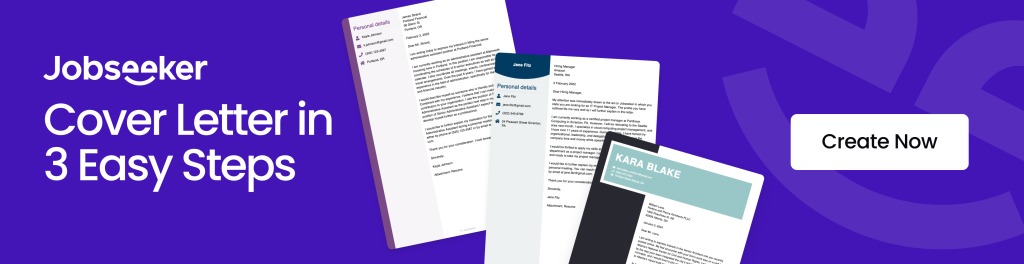
Putting all of this into practice by hand can take hours — picking a layout, wording your achievements, adjusting the formatting so it stays ATS-friendly. If you’d rather skip the guesswork, a tool like Jobseeker can help. It walks you through building a clean, professional resume step by step, offers ready-made templates designed to pass ATS scans, and lets you generate a tailored cover letter to match — all in one place, so you can spend less time formatting and more time applying.
Build My Resume with Jobseeker →
A resume for a remote role isn’t a harder version of a regular resume — it’s a more specific one. Once you understand that you’re proving two things at once (that you’re qualified, and that you can work well on your own), the rest is really just about being clear, honest, and specific about what you’ve actually done.
References
- NoDesk / We Work Remotely — “The Perfect Remote Resume in 2026: Key Trends, ATS Keywords, and Formatting Tips”
- ResumeCoach — “How To Create a Work From Home Resume for Remote Jobs”
- Vault.com — “Resume Tips for the Remote Job Market”
- CV Designer — “How to Beat the ATS in 2026: The Complete Resume Optimization Guide”
- JobShinobi — “Best Resume Keywords for ATS 2026: A Practical System”
- ResumeGeni — “200+ ATS Keywords for Education Resumes (2026)”